Less paperwork.
Fewer calls.
Faster days.
Import the day's deliveries, send each driver a route link, and every drop logs itself with a stamped photo and signature. Your team spends the day delivering, not doing paperwork.
No card to start. Your drivers don't need a password.
From invoice to proof, in four screens.
Real Droplog screens, shown with a sample company.
Swipe to see all four →
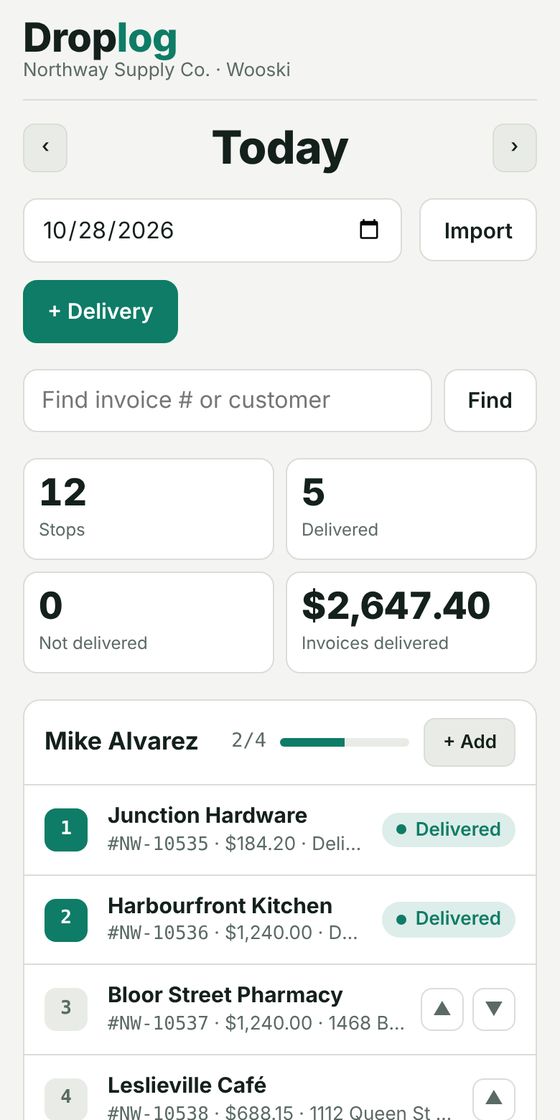
Plan the day
Add deliveries or import your spreadsheet, assign them to drivers, and watch each stop turn green.
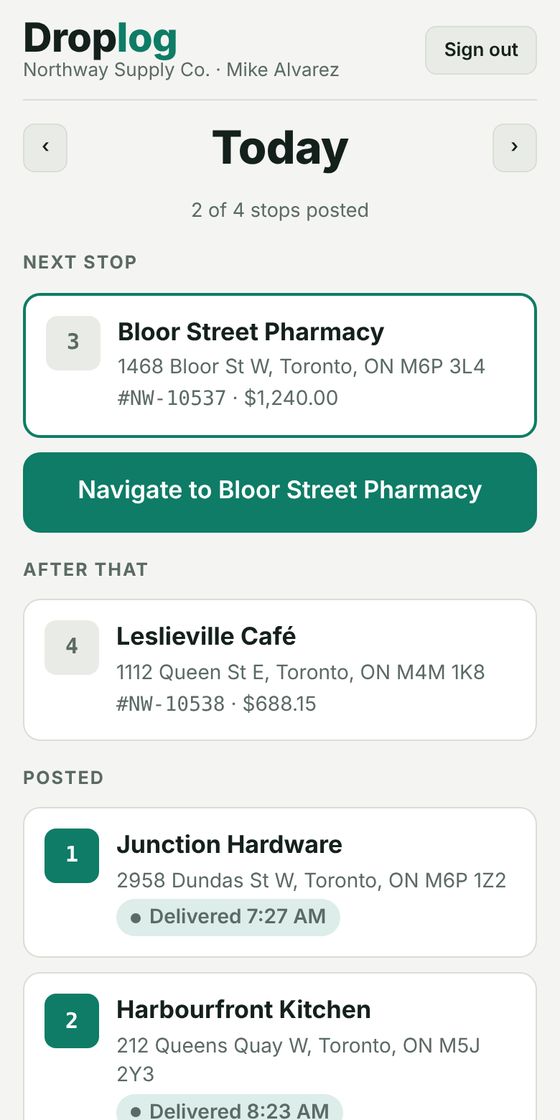
Driver opens a link
No app to install, no password. Stops in order, and one tap opens turn-by-turn directions.
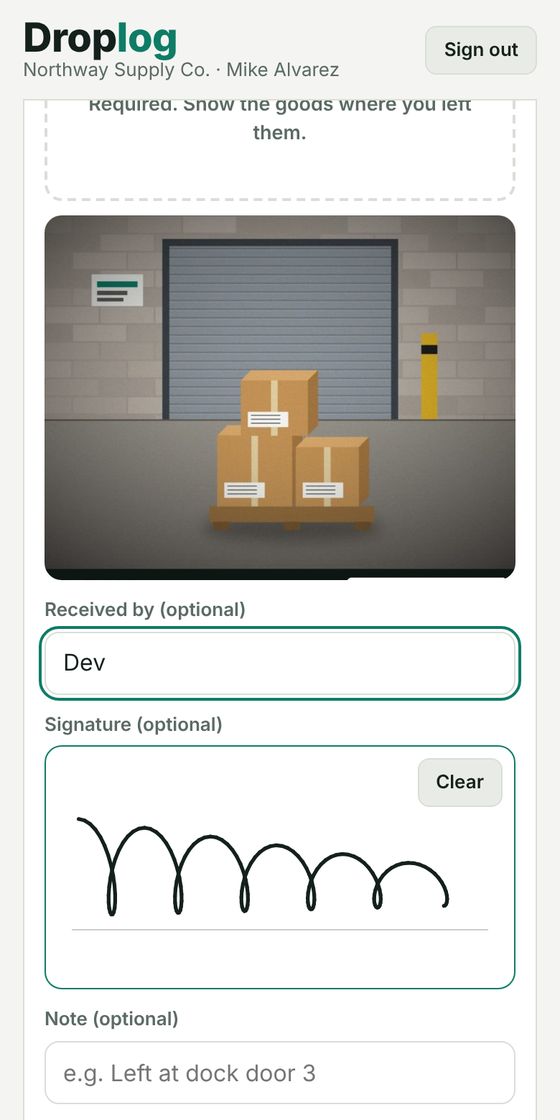
Photo and signature
A photo is required at every stop. The receiver signs on the driver's phone. Works with no signal.
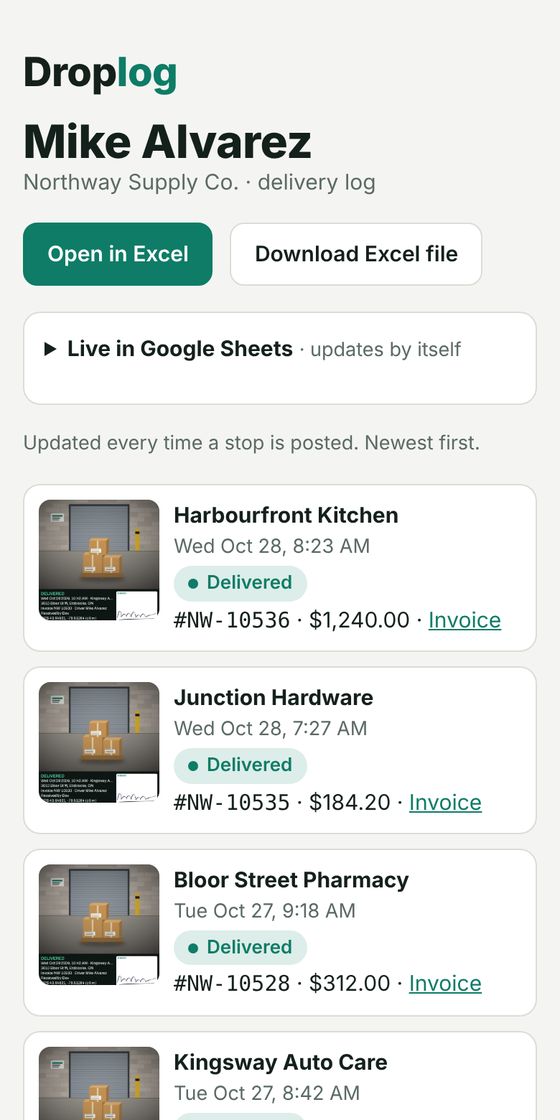
The log fills itself
Every stop, photo and invoice in a private link, an Excel file, or a live Google Sheet.
Proof that settles it. Not a slip that gets lost.
When a customer says it never arrived, this is what you have to show them.
- Lost in the van, or coffee on it
- No time, no place, a signature anyone could scribble
- Hours to find when a customer disputes
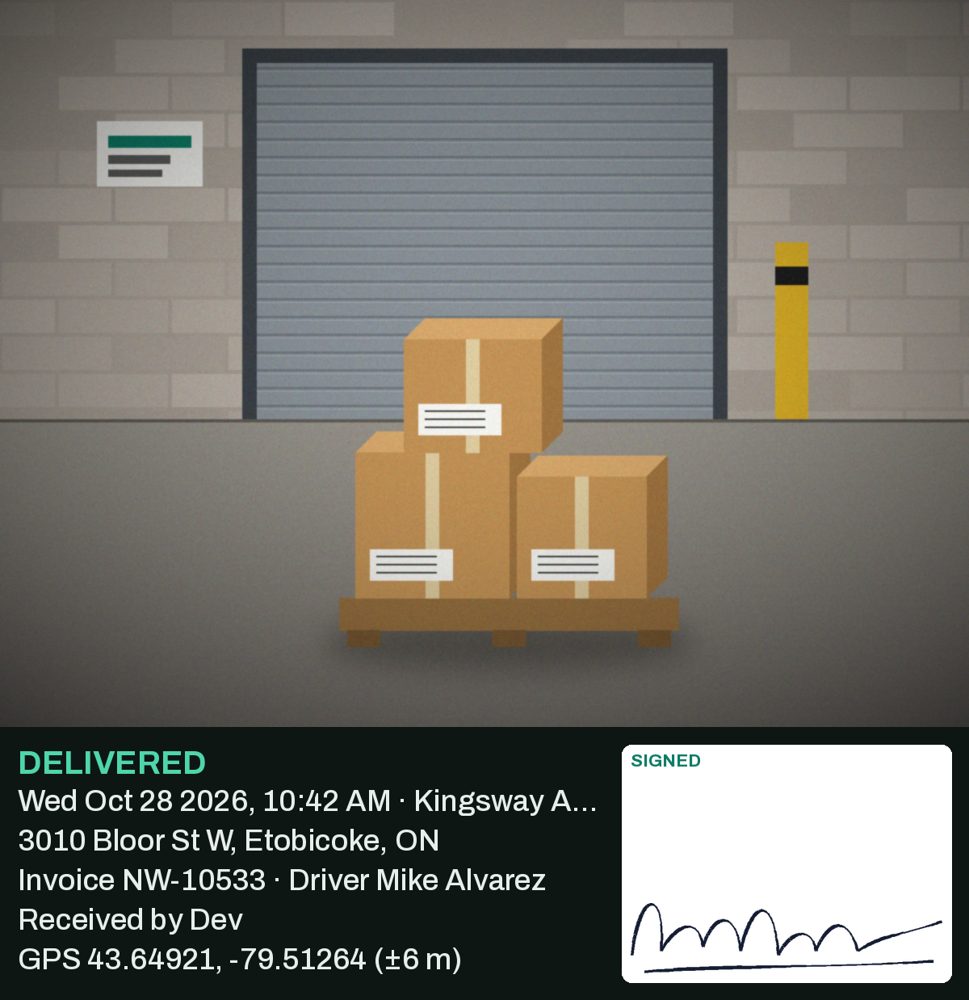
- Time and date stamped by the phone
- Address, invoice # and driver on the photo
- GPS location, receiver's name and signature
- Found in seconds: search the invoice number
Every stage of the delivery, professionally handled.
The everyday problems delivery companies deal with, and how Droplog solves each one.
Drivers just open a link
No app store, no password, no training. They tap the link you send and their stops are there.
Proof that ends the argument
Time, address, invoice number, driver and signature stamped on one picture.
The log builds itself
Each drop is recorded as it happens, with the invoice attached. Share it with a link.
Simple pricing. Per driver.
Unlimited stops on every plan. The price per driver drops as your team grows.
- Unlimited stops
- Photo proof and signatures
- Ledger add-on Coming soon
- Unlimited stops
- Everything in Starter
- Ledger included Coming soon
- Unlimited stops
- Everything in Fleet
- Ledger included Coming soon
Prices in CAD before tax. Photo and file storage is billed by what you use.
Questions, answered.
What delivery companies ask before they start.
Do my drivers need to download an app?
No. You text each driver a private link. It opens in their phone's browser with their stops for the day. No app store, no password, no training. They can add it to their home screen if they like.
What if there's no signal at a stop?
The driver posts anyway. The photo and signature are saved on the phone and upload by themselves once there's signal again, and the stamp keeps the time the photo was taken.
Do I have to type in every delivery?
No. Add them one at a time, or import a spreadsheet (CSV or Excel) exported from your order or accounting system. You see a preview before anything is saved, and importing the same file twice won't create duplicates.
Can the customer sign for the delivery?
Yes. They sign with a finger on the driver's phone, and the signature is printed on the proof photo. Signatures are optional, or turn on "Require a signature" in Settings so no stop can be posted without one and the receiver's name.
How do I see what's been delivered?
Your board updates as each stop is posted. Each driver also has a private log link with every stop and photo, which downloads as an Excel file or feeds a live Google Sheet for your office or accountant.
Does Droplog plan the route?
You set the order of stops, and the driver taps Navigate for turn-by-turn directions. Automatic stop ordering is coming soon.
What does it cost?
$50 per driver a month for 1–4 drivers, $45 for 5–14 and $40 for 15 or more, in CAD before tax, with unlimited stops. You only pay for drivers who are turned on. Photo and file storage is billed by what you use, about 30¢ per GB a month. The first 14 days are free, with no card needed.
What happens when a driver leaves?
Turn them off on the Drivers page. Their link stops working right away, they drop off your bill, and every delivery they made stays in your records.
Where is my data, and can I get it out?
Droplog runs on secure servers in the United States. You can download every driver's log as an Excel file at any time, and for 90 days after you cancel.
Can I cancel?
Any time, from Settings → Plan & storage. Your plan runs to the end of the period you've paid for.
Run tomorrow's route on Droplog.
14 days free. Bring your spreadsheet and your drivers.
Start free trial